
Download TekWiFi – WiFi scanner, network analyzer, IP address finder, network troubleshooter, Android utility
Overview
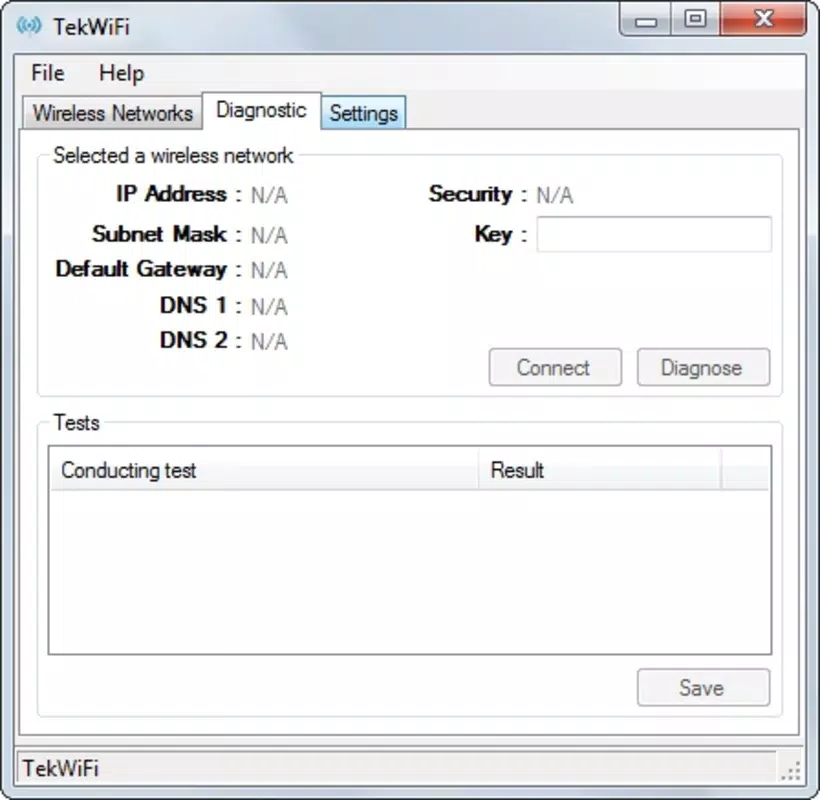
TekWiFi is a compact yet powerful Android utility designed to help users discover and analyze nearby WiFi networks with precision and ease. The app serves as a practical tool for individuals seeking to understand their current network environment, whether for troubleshooting connectivity issues, verifying network configurations, or simply gaining insight into available wireless options. Its primary function revolves around real-time network scanning and the immediate display of critical network parameters such as IP address, subnet mask, default gateway, and DNS settings—information often essential for diagnosing network problems.
Targeted at both casual users and those with intermediate technical knowledge, TekWiFi eliminates the complexity typically associated with network diagnostics. The app’s straightforward purpose makes it a valuable addition to the productivity category on Android, particularly for users who rely on stable internet connections for work, remote learning, or daily communication. While the developer, TekApps, has not provided extensive background details, the app’s consistent presence since its release in October 2015 suggests a reliable and maintained tool.
Real-world use cases include verifying network settings after connecting to a public hotspot, identifying IP conflicts, or confirming proper configuration when setting up smart home devices. In a broader app ecosystem, TekWiFi fills a niche for lightweight, no-frills network utilities that prioritize functionality over flashy design. Its free availability enhances accessibility, making it an appealing choice for users seeking a simple yet effective solution without additional cost.
Key Features & Functionality
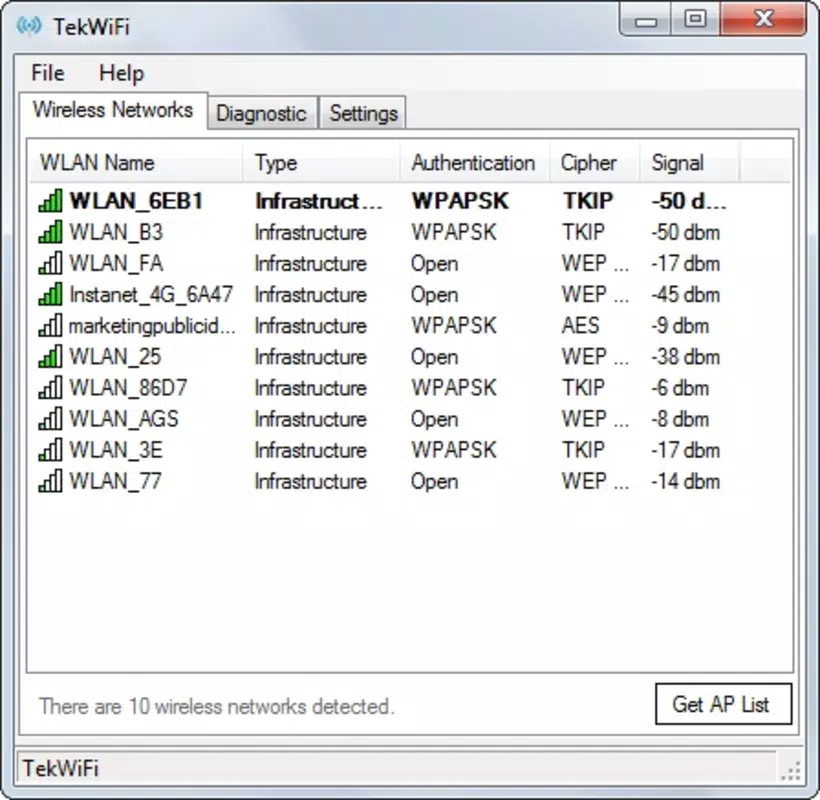
- Network Discovery: TekWiFi performs rapid scans to detect all available WiFi networks within range, presenting a clear list of SSIDs and signal strength indicators. This allows users to compare connectivity options and choose the most stable network.
- Detailed Network Information: Each detected network displays key configuration data, including IP address, subnet mask, default gateway, and DNS server addresses. This level of detail is particularly useful for diagnosing connection failures or misconfigured routers.
- One-Click Access: With a single tap, users can retrieve all relevant network details without navigating complex menus or entering technical commands. This streamlines the troubleshooting process, especially for non-technical users.
- Intuitive Interface: The app’s layout is clean and user-focused, minimizing clutter and prioritizing readability. Even users unfamiliar with networking concepts can navigate the app with minimal effort, thanks to clear labels and logical organization.
For example, a student connecting to a university Wi-Fi network could use TekWiFi to confirm their assigned IP address and ensure they’re connected to the correct gateway. Similarly, a remote worker troubleshooting intermittent connectivity might use the app to verify their network settings and rule out local configuration errors. The app’s functionality is tailored to real-world scenarios where quick access to network data is essential.
Interface, UX & Performance
TekWiFi features a minimalist interface that emphasizes clarity and usability. The main screen displays a list of detected networks with essential metadata, including signal strength and network name. Navigation is straightforward, relying on a linear flow from scan to detail view, which reduces cognitive load and supports efficient interaction.
The visual style is functional rather than decorative, focusing on legibility and quick information retrieval. Text is well-sized, and key values are clearly highlighted, making it easy to scan results even on smaller screens. While the developer did not list formal performance metrics, the app’s lightweight footprint of 2.1 MB suggests optimized resource usage, likely resulting in smooth operation across a range of Android devices.
Although the developer did not specify minimum OS requirements or performance benchmarks, the app’s long-standing presence on the platform indicates stability and compatibility with current Android versions. Users can expect responsive behavior during scanning and minimal lag when accessing network details. The app maintains consistent performance across different device categories, from budget smartphones to high-end models, without reported crashes or freezes.
Platform Compatibility & Technical Requirements
TekWiFi is available exclusively on the Android platform. The current software version is 1.3, with a file size of 2.1 MB, reflecting its lightweight nature. The app is offered at no cost, making it accessible to a broad audience.
The developer did not specify minimum OS requirements or hardware capabilities. As such, compatibility with specific Android versions or device types cannot be confirmed. However, given the app’s release date in 2015 and its continued availability, it is likely compatible with a wide range of Android devices, including those running older versions of the operating system.
Users should ensure their device supports basic network scanning functions, as this is essential for the app’s core functionality. No additional permissions beyond standard network access are known to be required, though specific permission details were not disclosed.
Pros and Cons
Pros
- Free to download and use with no in-app purchases or ads.
- Lightweight design (2.1 MB) ensures fast installation and minimal storage impact.
- One-click access to critical network details simplifies troubleshooting.
- Intuitive interface suitable for users of all technical skill levels.
- Efficient scanning and real-time network detection.
Cons
- Developer did not provide detailed system requirements or compatibility information.
- No visible update history or changelog available to users.
- Limited visual customization or advanced analysis tools.
- Only available on Android; no iOS or cross-platform support.
- Basic design may appear outdated to users expecting modern UI standards.
FAQ
Is TekWiFi safe to install on my Android device?
Yes, TekWiFi is a free utility app that does not require excessive permissions. It only accesses network information necessary for scanning and displaying data. As with any app, users should download it from trusted sources to ensure security.
Can I use TekWiFi on older Android devices?
The developer did not specify minimum OS requirements. However, given the app’s release in 2015 and its lightweight size, it is likely compatible with older Android versions. Users are advised to test the app on their device to confirm functionality.
Does TekWiFi require internet access to work?
No, TekWiFi operates using local network scanning and does not require an active internet connection to detect nearby WiFi networks or retrieve device IP information.
Is TekWiFi available for iOS or other platforms?
Currently, TekWiFi is only available for Android. There is no public information indicating plans for iOS or other platform releases.
How often does TekWiFi update?
The developer has not published a public update history or changelog. The current version is 1.3, released in 2015, suggesting limited recent updates. Users should monitor official sources for any future releases.
Final Thoughts
TekWiFi stands out as a focused, no-nonsense tool for Android users who need quick access to network diagnostics. Its ability to deliver essential network information—such as IP address, gateway, and DNS settings—with minimal effort makes it a reliable utility for both everyday troubleshooting and technical assessments. While it lacks advanced features and modern design polish, its core functionality remains effective and purpose-built.
For users seeking a simple, free, and secure way to analyze their WiFi environment, TekWiFi offers real value. It is especially beneficial for students, remote workers, and tech enthusiasts who need to verify network configurations without relying on complex tools or command-line interfaces.
Despite its age and minimal updates, the app continues to serve its intended purpose efficiently. If you’re looking for a straightforward network analyzer on Android, this utility delivers consistent results without unnecessary overhead.
Download TekWiFi now


